All Activity
- Today
-
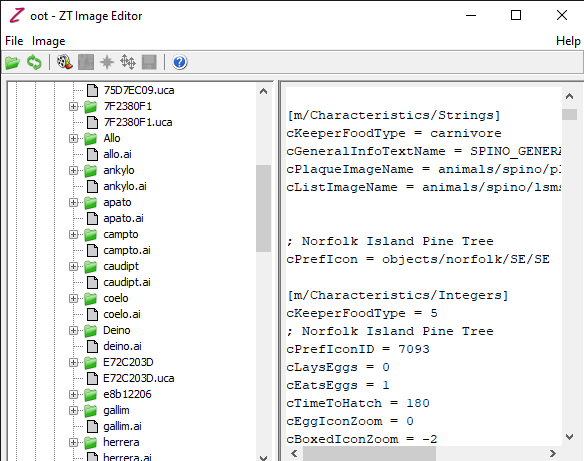
yo how can i change the plaque? cPlaqueImageName = animals/spino/plmspino/plmspino
-
Well at least I was right about the possible language problem. And yes I did figure about the iguana. I don't make animals which is why I poked these two. Zarawatto does.
-
well it's because i'm Vietnamese and marine iguana js my one of my favorite animals:)
-
No it is because you two spoke spanish in his intro thread post.
-
If this is because their username sounds Spanish, I think their username says Marine Iguana lol 😅
-
i just somehow figure it by changing the file from .ztd to .zip so now it's work thank you anyways
-
Goosifer, Zarawatto can either of you help here since there might be a language problem with understanding how to use Zoot.
-
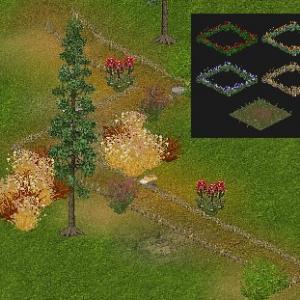 great work! It’s so cozy
 -
You are still trying to read a ztd. You need to extract the contents to work on it.
-
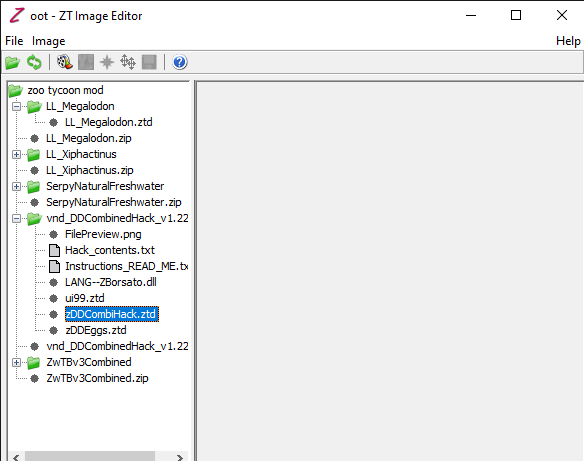
i have read the "HOW TO USE ZOOT" part in the "readme" i name a file outside the Zoo Tycoon folder i'm called it "zoo tycoon mod" . you see i have following this part " Once you've selected a project, Zoot should then display your project's files and directories in its tree view on the left. You will be able to view .cfg, .scn, .ai and other ZT-related text files directly by selecting them in the tree -- their contents will be displayed on the right. Note that you can NOT edit these text files directly from Zoot; use a text editor such as WordPad or Vim to do this. You will also be able to preview ZT images and animations on the right by selecting them in the tree." i tried to right click and left click both doesn't let me preview atleast some images or animation. i've spent one days trying to figure out what i have do wrong, please help me, ma'am.
- Yesterday
-
Welcome to ZTP, Miguel! Hope you have a wonderful time here!
-
Sending many prayers and hugs your way, Hayley! I'm glad that you have so many fun zoo ideas to focus on!
-
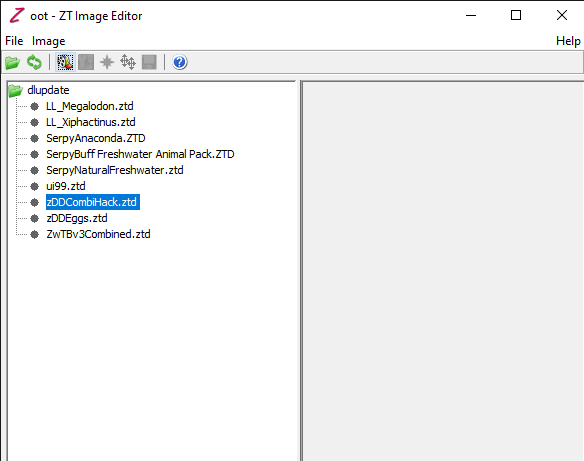
You need to extract the files from the ztd. So create a work area outside of ZT. Create a folder and lable it zDDCombiHack and extract everything from the ztd into it. Then follow the instructions. All the instructions you need are in the read-me or on the page at DG.
-
yo i don't khow how to work with this thing
-
Zoot can be found here http://www.ztcdd.org/DG/index.php?topic=4773.msg18197#msg18197 It was created over 10 years ago and was originally at ZA. Then it was updated by Jay to fix flaws and hosted at DG DG is the Zoo Tycoon Designer Guild. Both links for DG and DD are in my signature. Be aware both are http sites so your browser may object but we have no advertising. As for editing files once made that should be done in Zoot and the uca in a notepad type program.
-
Soy gringa, pero entiendo y hablo un poco del español.
-
what is Zoot, Ma'am. can you give me the link to Zoot cuz i have no idea what is DG
-
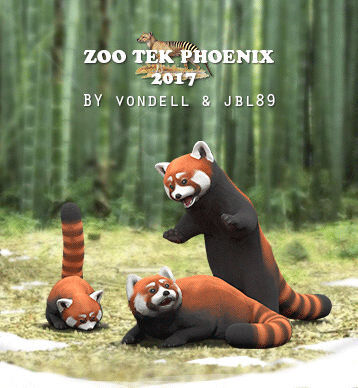 SO CUTEEEEE❤️❤️it’s like an angel just joined my zoo!
 - Last week
-
Yo, como el miembro mas famoso de la comunidad hispana, humildemente estoy de acuerdo.
-
Qué bueno e interesante ver que gente hispanohablante sigue integrándose a la comunidad. Bienvenido una vez más a ZT. ~~ How nice and interesting to see how spanish speaking people keeps joining the community. Welcome back to ZT once more.
-
Welcome Miguel!
-
Hi Miguel Angel! Welcome to Tek! We're glad to have you here with us. Make yourself at home.
-
You should never edit with APE as it adds problems back in, especially the versions of APE prior to APExp 3.2 Use Zoot which is available at DG.
-
I haven't tried it yet, but I guess you might open the directory of the hack with zoot... That should allow you to edit the plaque frames
-
Hi everyone, I’m really happy to finally be part of the Zoo Tek Phoenix community! I’ve been a long-time fan of Zoo Tycoon. My name is Miguel Ángel. I’m excited to download some mods to enhance my zoos. I used to play the game as a child, and now I’ve started playing it again. I really enjoy trying to create the perfect exhibits. Thanks to the admins for having me. Best regards, Miguel Ángel