All Activity
- Today
-
I always use or request the Pukkie Falls bear trash can because it is cute & easy to place in the correct direction for guest use and maintenance empty. Dream Beach Contest I did not request so I an guessing which direction(s). Is there a comparison/line up with a picnic table or park bench direction for placement guidance? Thanks in advance
-
Yeah. It sounds harder than how difficult it actually is. The issue is that hacks overwrite previous information. This means: if you use more than a hack for an item, the newer wil override the previous one. So, if you want to create a new hack for Spinosaurus, any other hack of it previously installed including this one won't work. Maybe a hack that only changes the plaque might work as an independent hack, but ZooTycoon has a limit of supported aditional material AND I can't assure it would run the Dino Accuracy Booster changes... Agh! My suggestion is doing what I did for my Eoraptor. Create a new animal from scratch compatible with plain/vanilla game and another one for the hack version. That allows the player to pick the most suitable one for their game.
-
so what you're saying it's to change the plaque i have create a whole new hack?
-
I understand now what you're trying to do and why it won't work at all this way: The Dino Accuracy Booster pack made by gorgeous VNDragon is a hack! What does it mean? It modifies base game stuff by adding new information. When you say you can not find the Spinosaurus plaque, it is because this pack does not contain any plaque. It uses the game base plaque located inside ZooTycoon original source. However, you previously said you found the plaque for tarpan, bison, camel & deinonychus because these are new animals made from scratch and then, the pack contains a plaque within only for these ones. If you want to change Spinosaurus' plaque, you should create a whole new hack that attaches the base game stuff in order to work.
-
When I mean the file has no extension, it is because it works like that. You do not need to change the extension nor try to load with a graphic editor software. Changing file names won't update metadata automatically and zoot (therefore, ZT game engine) won't load it properly.
-
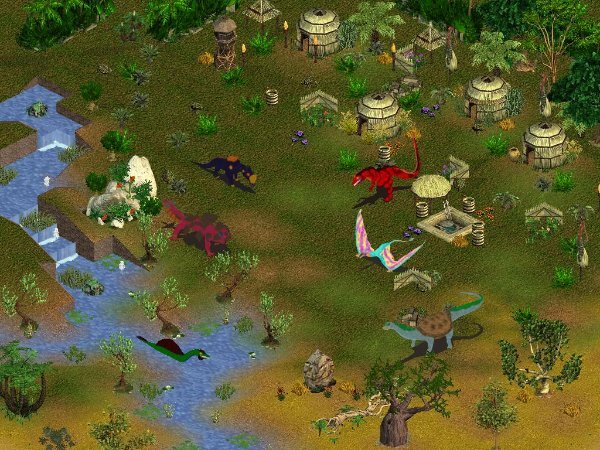
Release update: CryptoCrisis - Congo Uncovered! ~~ Content List ~~ => KasaiRex (King of Kasai River) => EmelaNtouka (Elephant slayer) => KongaMato (Boat crusher) => MbieluMbieluMbielu (Very very very plated) => MokeleMbembe (River halter) => NgumaMonene (Huge python) All of them are highly compatible with each other, with slight terrain preference differencies. MbieluMbieluMbielu, MokeleMbembe & NgumaMonene are tankable animals. I started CryptoCrisis as a project series that tries to gather the cryptids from several regions of the world. Expect more soon! Also, this pack is a Pride Month present. Each animal got its eyes with a colour of the diversity flag. Just like previous projects, in this first part you'll find a short story divided in six sections in the animal information plaque. Enjoy! All of them like in-game tribal mask and most items from Genki's tribal pack available here: Credits File deleted July 2nd 2026. Link to get here! Happy Download! 🐢🐢


-
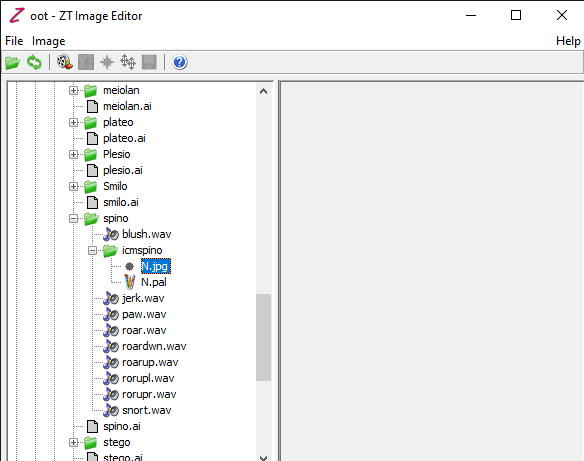
it's still the same.
-
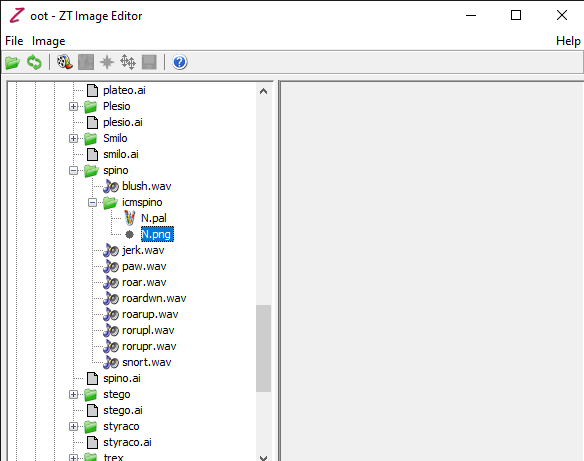
The graphic file has no extension. I mean, it is not a .jpg or .png file. About this issue, it happened to me before when software finds metadata content that do not match the file directory. Probably you changed the name of a folder or a file manually and, when zoot loads metadata, it finds a mismatch that result in this reading error.
-
 MarineIguana97 changed their profile photo
 -
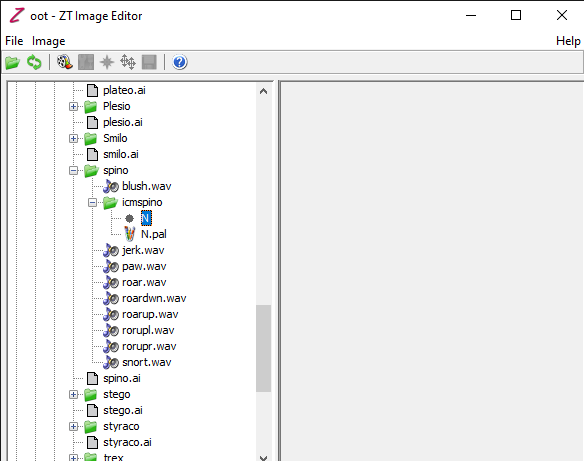
thank you for explain literally everything, but i still confuse why is your an image and my it's just "N" no " .___ " just "N"literally
- Yesterday
-
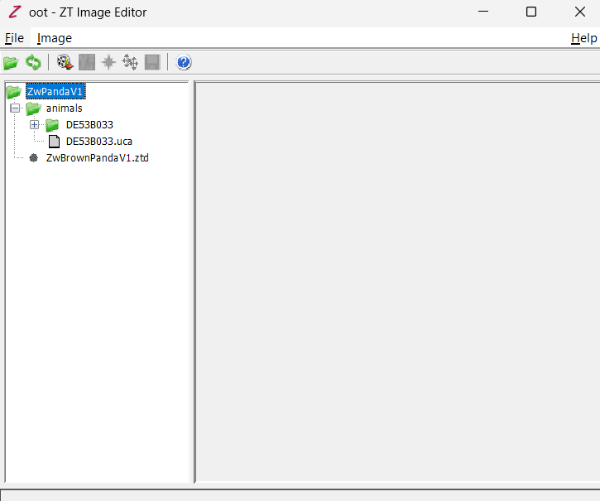
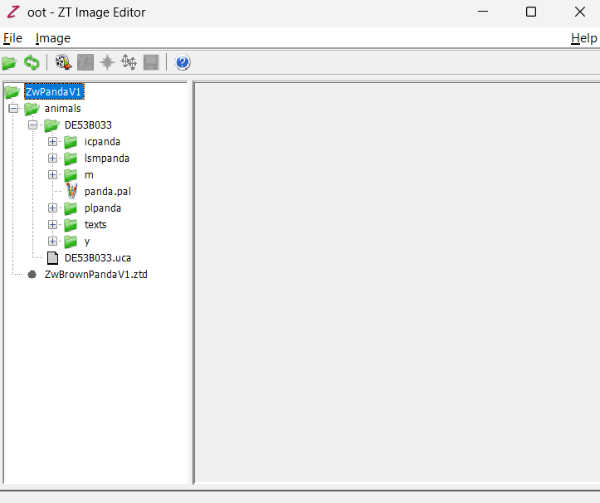
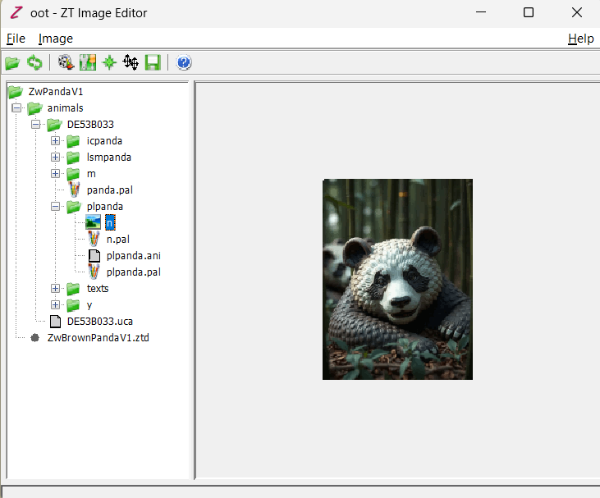
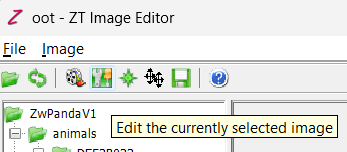
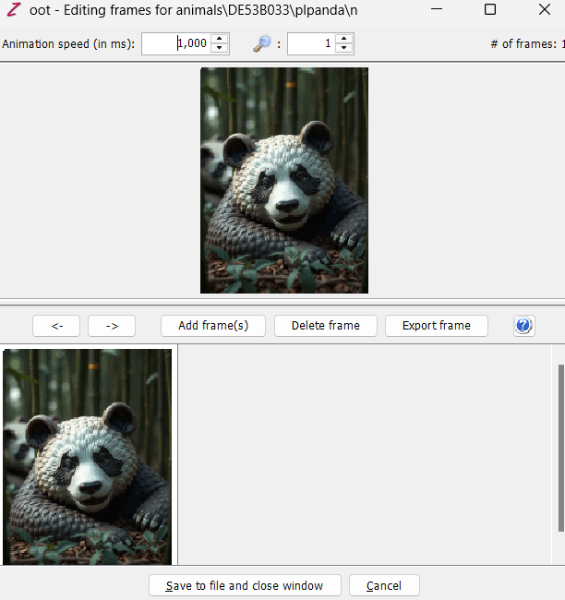
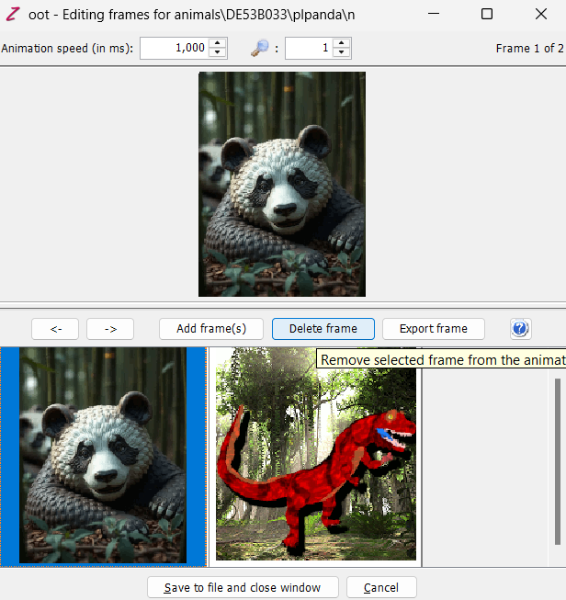
Let's start a graphic guide. First, load the exctracted .ztd into zoot. In this case, I'm extracting just a singe animal. You'll find the .uca and the graphic directory inside it: Inside the folder, you'll find a secondary folder whose name starts whit "pl-" followed by the animal name. In this case, it is "plpanda": Inside the plaque folder, you'll find a configuration file (.ani), a palette file (.pal) and a graphic file with no extension at all. For user created stuff, the file's default name is "N". Once you selected the N file, you have to click the frame editor. The feature with the screwdriver and the key in a green bg. It will open a secondary window: Inside the secondary window, you'll find the frame options, including adding, removing and exporting frames. Here you can load a new file and delete the previous one. NOTE: Plaque files must be indexed for a maximum of 256 colours. Also, the colour of the top-left corner will be selected as the background and will be erased for transparent by the program. The maximum size of the image are 175x190 pixels. You can use default backgrounds, but I see you have a new image. You can edit all these properties with a graphic editor software. I use GIMP. Once deleted the previous plaque frame, just click save. The window will close and in the first one will display the new picture. Done! This also works for icon and list icon frames.
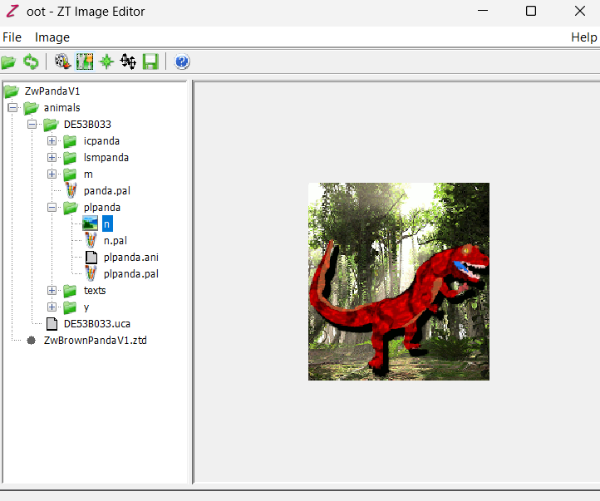
-
"Myself, the most famous hispanic" and then "humbly agree" HAHAHAHAHA
-
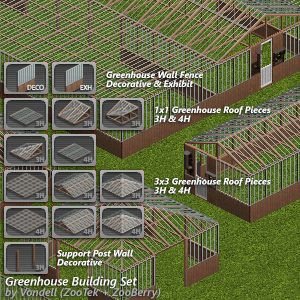 This is incredible, always wished they’d included elements like these in Zoo Tycoon
 -
Oh that's funny. That was a different fella with the name MiguelAngel but I can see the confusion I wish I could be helpful with the animal coding but sadly I've only ever made buildings and scenery. Zarawatto for sure might know though when he sees the ping.
-
yo how can i change the plaque? cPlaqueImageName = animals/spino/plmspino/plmspino
-
Well at least I was right about the possible language problem. And yes I did figure about the iguana. I don't make animals which is why I poked these two. Zarawatto does.
-
well it's because i'm Vietnamese and marine iguana js my one of my favorite animals:)
-
No it is because you two spoke spanish in his intro thread post.
-
If this is because their username sounds Spanish, I think their username says Marine Iguana lol 😅
-
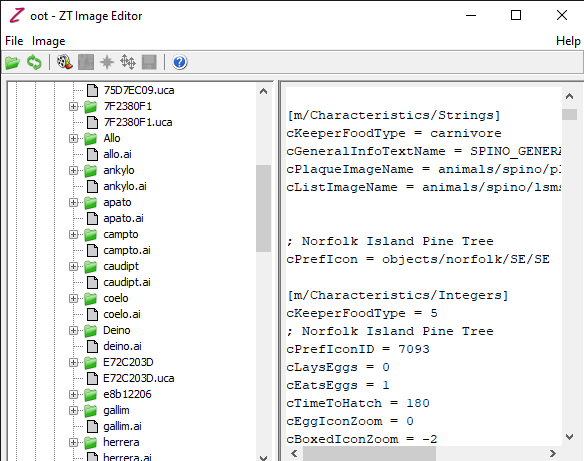
i just somehow figure it by changing the file from .ztd to .zip so now it's work thank you anyways
-
Goosifer, Zarawatto can either of you help here since there might be a language problem with understanding how to use Zoot.
-
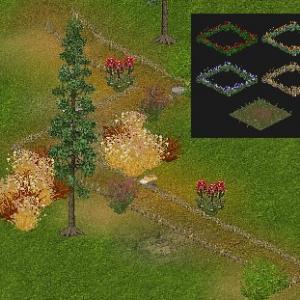 great work! It’s so cozy
 -
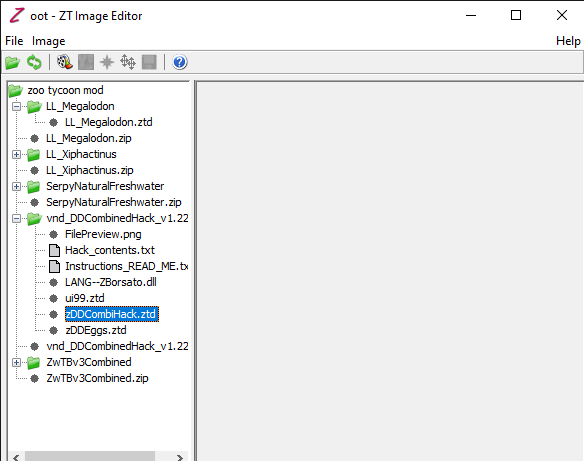
You are still trying to read a ztd. You need to extract the contents to work on it.
-
i have read the "HOW TO USE ZOOT" part in the "readme" i name a file outside the Zoo Tycoon folder i'm called it "zoo tycoon mod" . you see i have following this part " Once you've selected a project, Zoot should then display your project's files and directories in its tree view on the left. You will be able to view .cfg, .scn, .ai and other ZT-related text files directly by selecting them in the tree -- their contents will be displayed on the right. Note that you can NOT edit these text files directly from Zoot; use a text editor such as WordPad or Vim to do this. You will also be able to preview ZT images and animations on the right by selecting them in the tree." i tried to right click and left click both doesn't let me preview atleast some images or animation. i've spent one days trying to figure out what i have do wrong, please help me, ma'am.
- Last week
-
Welcome to ZTP, Miguel! Hope you have a wonderful time here!
-
Sending many prayers and hugs your way, Hayley! I'm glad that you have so many fun zoo ideas to focus on!