All Activity
- Past hour
-
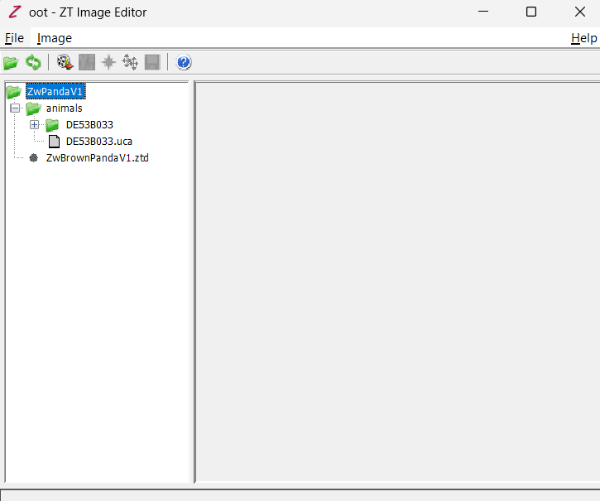
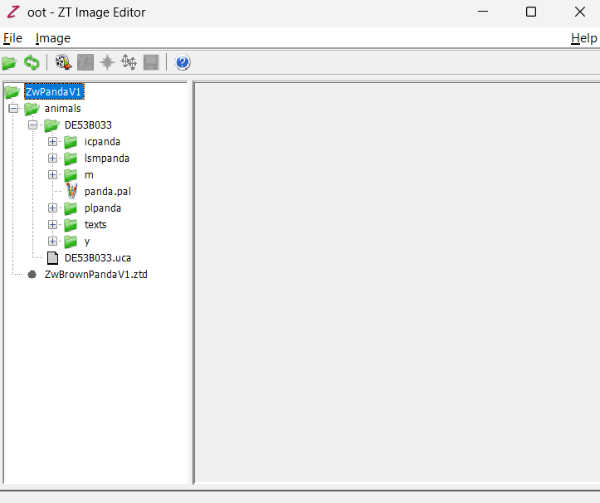
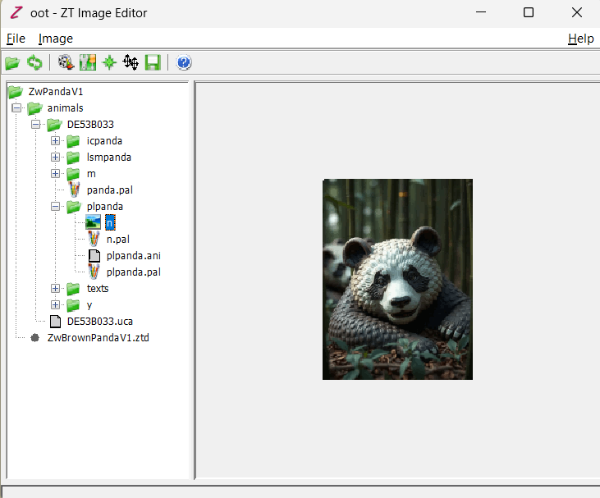
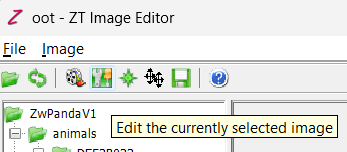
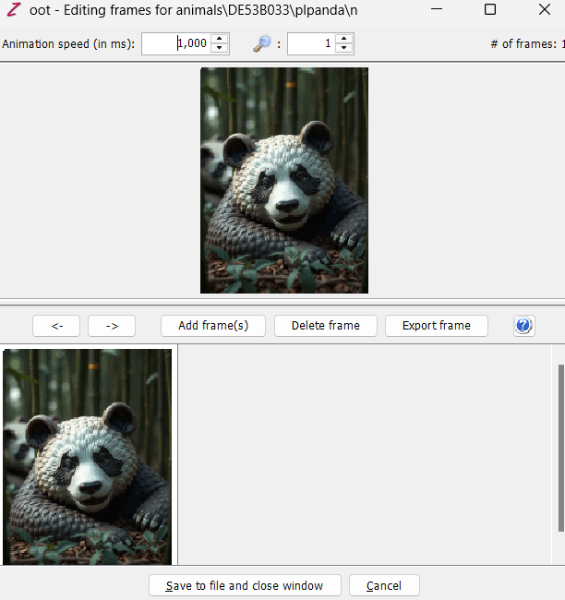
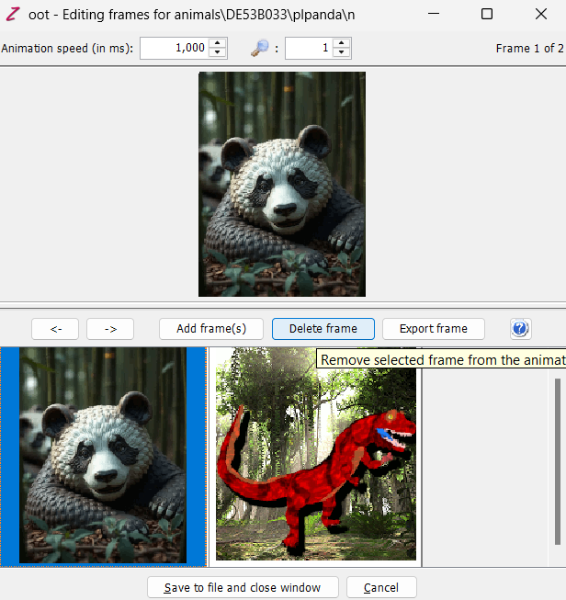
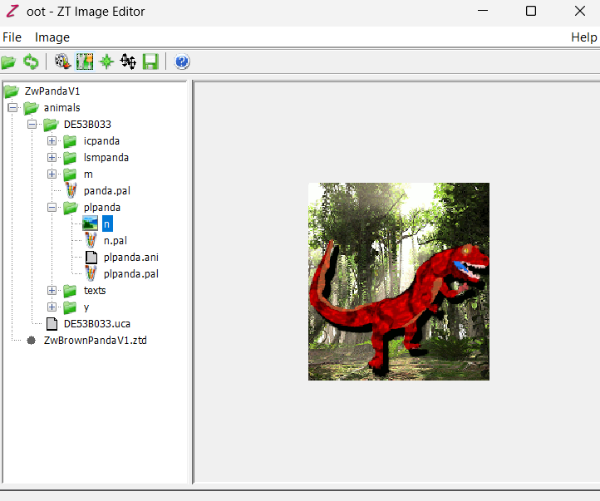
Let's start a graphic guide. First, load the exctracted .ztd into zoot. In this case, I'm extracting just a singe animal. You'll find the .uca and the graphic directory inside it: Inside the folder, you'll find a secondary folder whose name starts whit "pl-" followed by the animal name. In this case, it is "plpanda": Inside the plaque folder, you'll find a configuration file (.ani), a palette file (.pal) and a graphic file with no extension at all. For user created stuff, the file's default name is "N". Once you selected the N file, you have to click the frame editor. The feature with the screwdriver and the key in a green bg. It will open a secondary window: Inside the secondary window, you'll find the frame options, including adding, removing and exporting frames. Here you can load a new file and delete the previous one. NOTE: Plaque files must be indexed for a maximum of 256 colours. Also, the colour of the top-left corner will be selected as the background. The total size of the image are 175x190 pixels. You can use default backgrounds, but I see you have a new image. You can edit all these properties with a graphic editor software. I use GIMP. Once deleted the previous plaque frame, just click save. The window will close and in the first one will display the new picture. Done! This also works for icon and list icon frames.
- Today
-
"Myself, the most famous hispanic" and then "humbly agree" HAHAHAHAHA
-
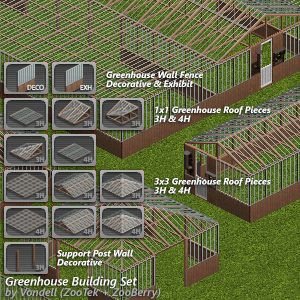 This is incredible, always wished they’d included elements like these in Zoo Tycoon
 -
Oh that's funny. That was a different fella with the name MiguelAngel but I can see the confusion I wish I could be helpful with the animal coding but sadly I've only ever made buildings and scenery. Zarawatto for sure might know though when he sees the ping.
-
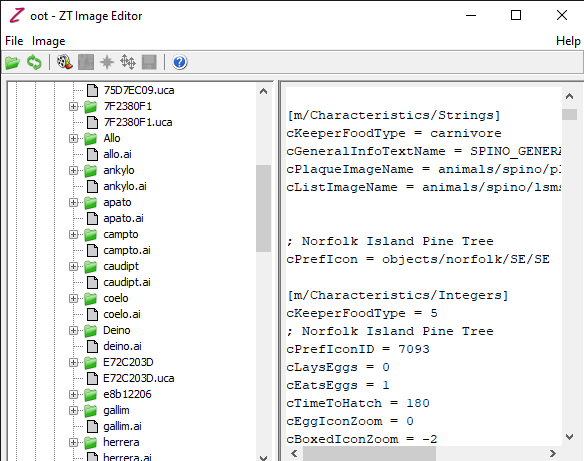
yo how can i change the plaque? cPlaqueImageName = animals/spino/plmspino/plmspino
-
Well at least I was right about the possible language problem. And yes I did figure about the iguana. I don't make animals which is why I poked these two. Zarawatto does.
-
well it's because i'm Vietnamese and marine iguana js my one of my favorite animals:)
-
No it is because you two spoke spanish in his intro thread post.
-
If this is because their username sounds Spanish, I think their username says Marine Iguana lol 😅
-
i just somehow figure it by changing the file from .ztd to .zip so now it's work thank you anyways
-
Goosifer, Zarawatto can either of you help here since there might be a language problem with understanding how to use Zoot.
-
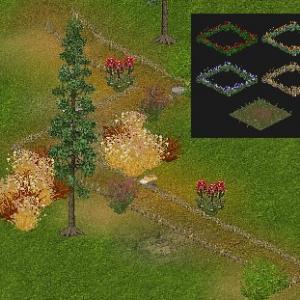 great work! It’s so cozy
 -
You are still trying to read a ztd. You need to extract the contents to work on it.
-
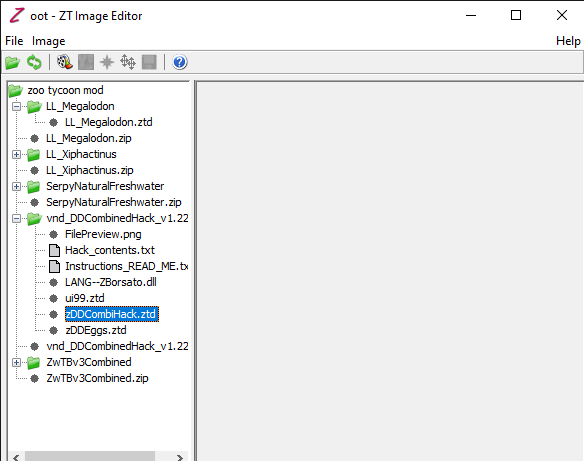
i have read the "HOW TO USE ZOOT" part in the "readme" i name a file outside the Zoo Tycoon folder i'm called it "zoo tycoon mod" . you see i have following this part " Once you've selected a project, Zoot should then display your project's files and directories in its tree view on the left. You will be able to view .cfg, .scn, .ai and other ZT-related text files directly by selecting them in the tree -- their contents will be displayed on the right. Note that you can NOT edit these text files directly from Zoot; use a text editor such as WordPad or Vim to do this. You will also be able to preview ZT images and animations on the right by selecting them in the tree." i tried to right click and left click both doesn't let me preview atleast some images or animation. i've spent one days trying to figure out what i have do wrong, please help me, ma'am.
- Yesterday
-
Welcome to ZTP, Miguel! Hope you have a wonderful time here!
-
Sending many prayers and hugs your way, Hayley! I'm glad that you have so many fun zoo ideas to focus on!
-
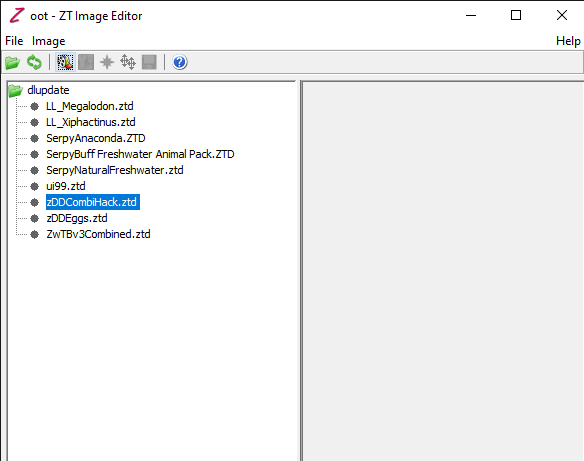
You need to extract the files from the ztd. So create a work area outside of ZT. Create a folder and lable it zDDCombiHack and extract everything from the ztd into it. Then follow the instructions. All the instructions you need are in the read-me or on the page at DG.
-
yo i don't khow how to work with this thing
-
Zoot can be found here http://www.ztcdd.org/DG/index.php?topic=4773.msg18197#msg18197 It was created over 10 years ago and was originally at ZA. Then it was updated by Jay to fix flaws and hosted at DG DG is the Zoo Tycoon Designer Guild. Both links for DG and DD are in my signature. Be aware both are http sites so your browser may object but we have no advertising. As for editing files once made that should be done in Zoot and the uca in a notepad type program.
-
Soy gringa, pero entiendo y hablo un poco del español.
-
what is Zoot, Ma'am. can you give me the link to Zoot cuz i have no idea what is DG
-
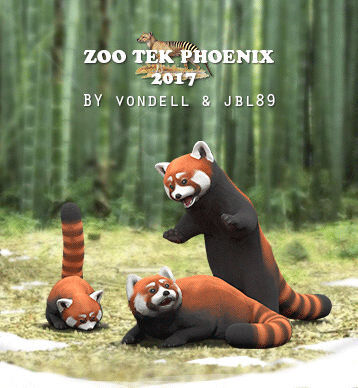 SO CUTEEEEE❤️❤️it’s like an angel just joined my zoo!
 - Last week
-
Yo, como el miembro mas famoso de la comunidad hispana, humildemente estoy de acuerdo.
-
Qué bueno e interesante ver que gente hispanohablante sigue integrándose a la comunidad. Bienvenido una vez más a ZT. ~~ How nice and interesting to see how spanish speaking people keeps joining the community. Welcome back to ZT once more.
-
Welcome Miguel!